¶ Log in to Salesforce Outlook integration (PDF)
-
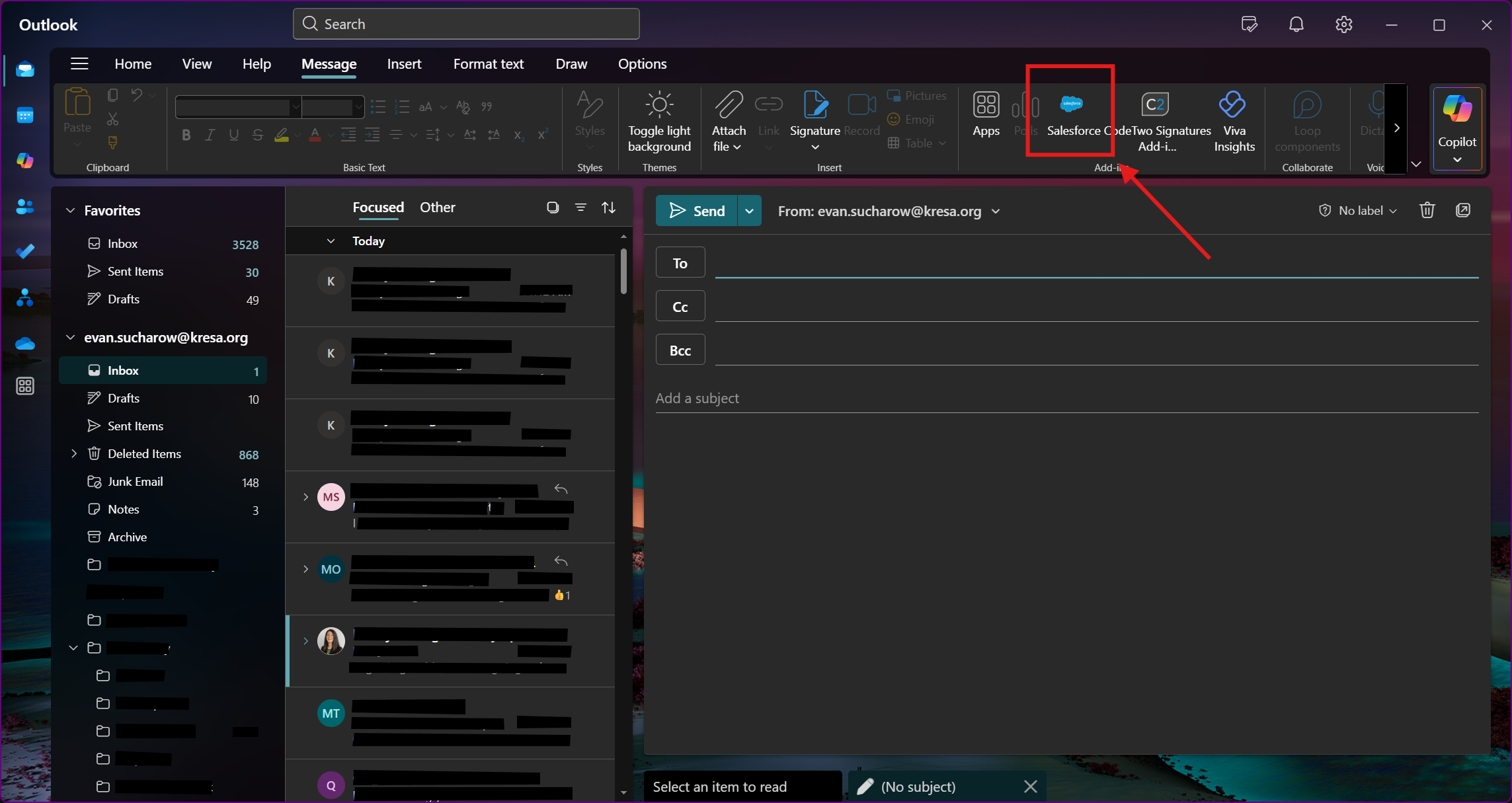
Open an email, then click the Salesforce option under Add-ins.
-
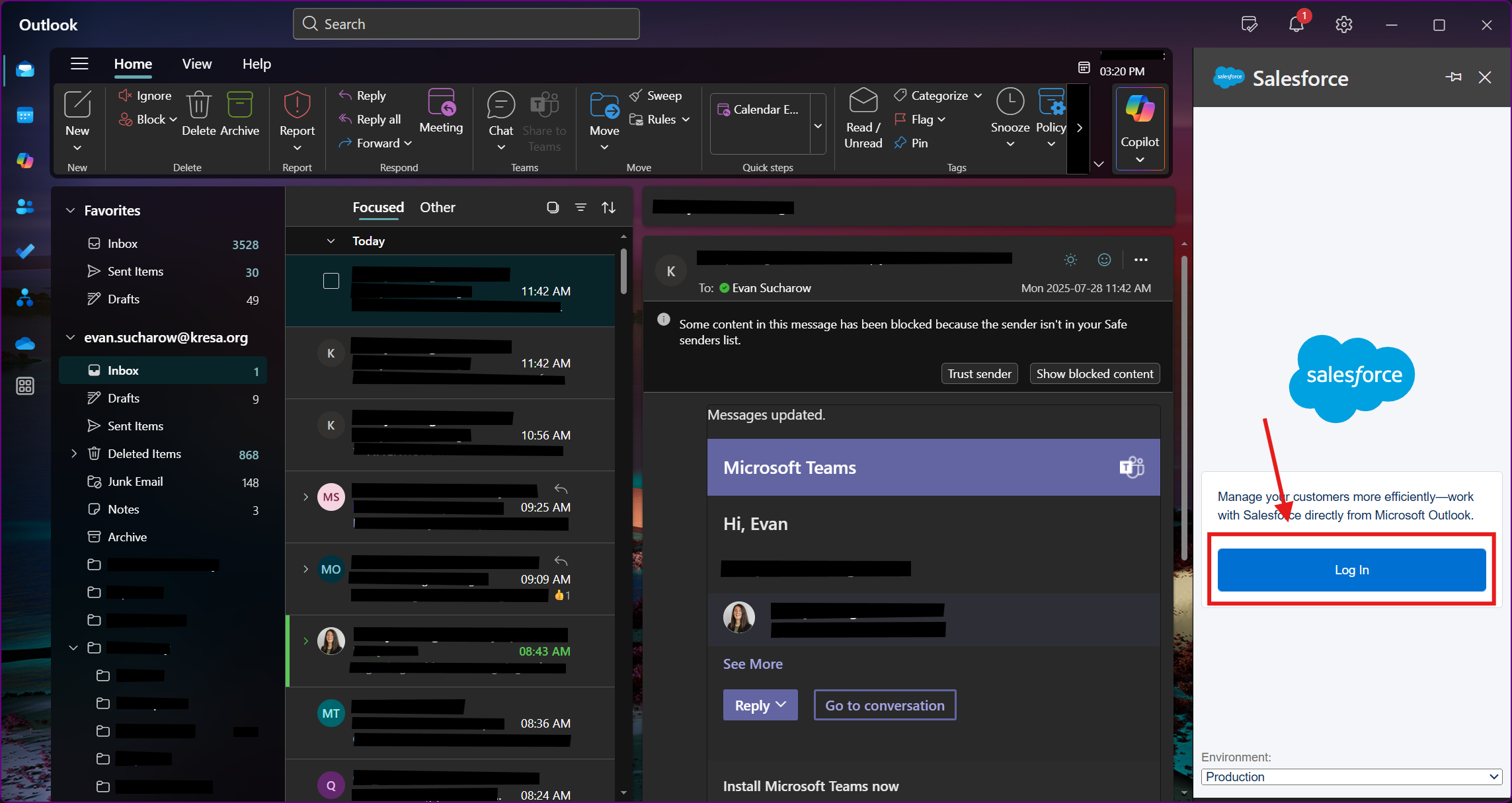
Click Log in
-
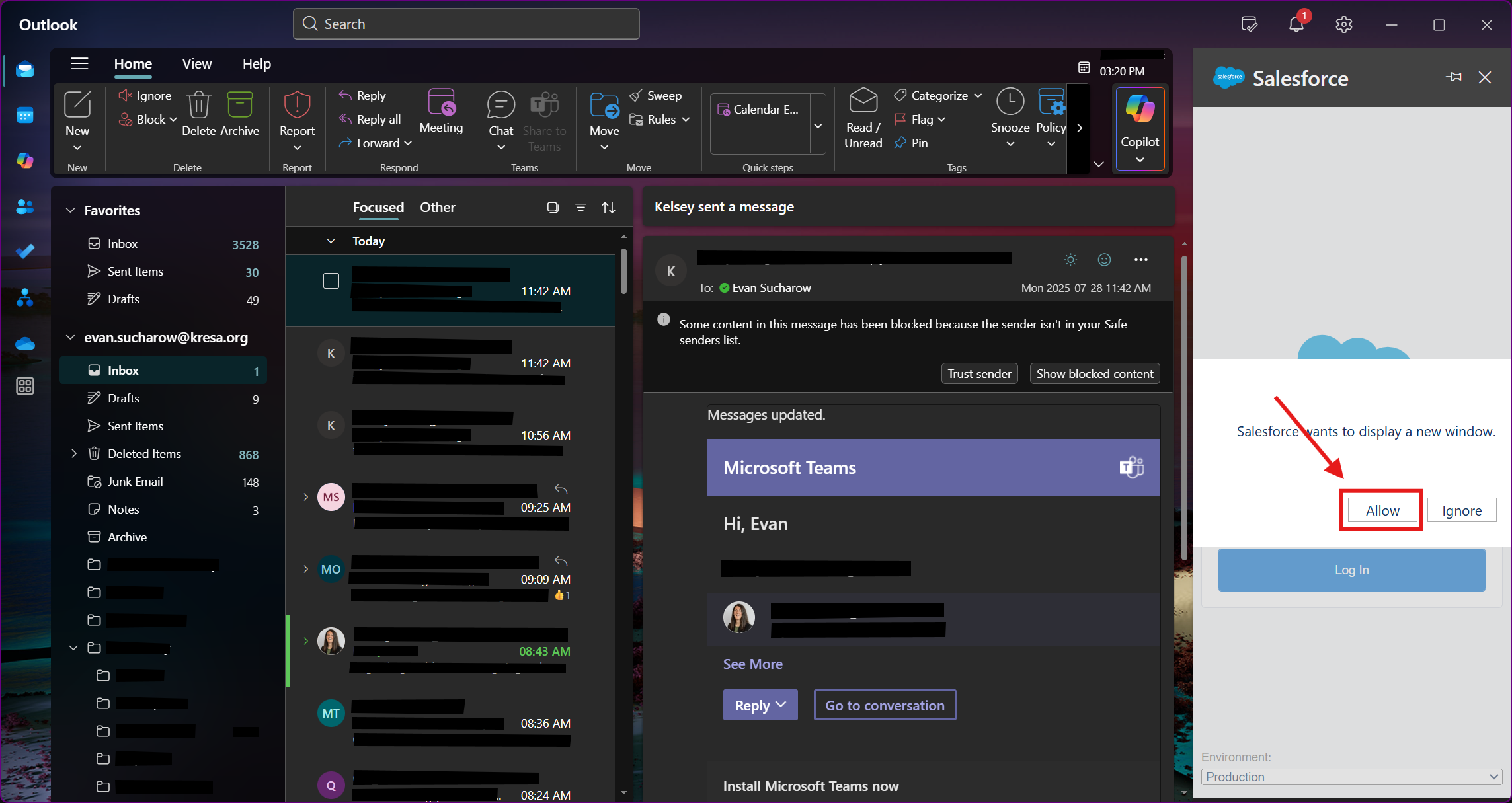
Click Allow.
-
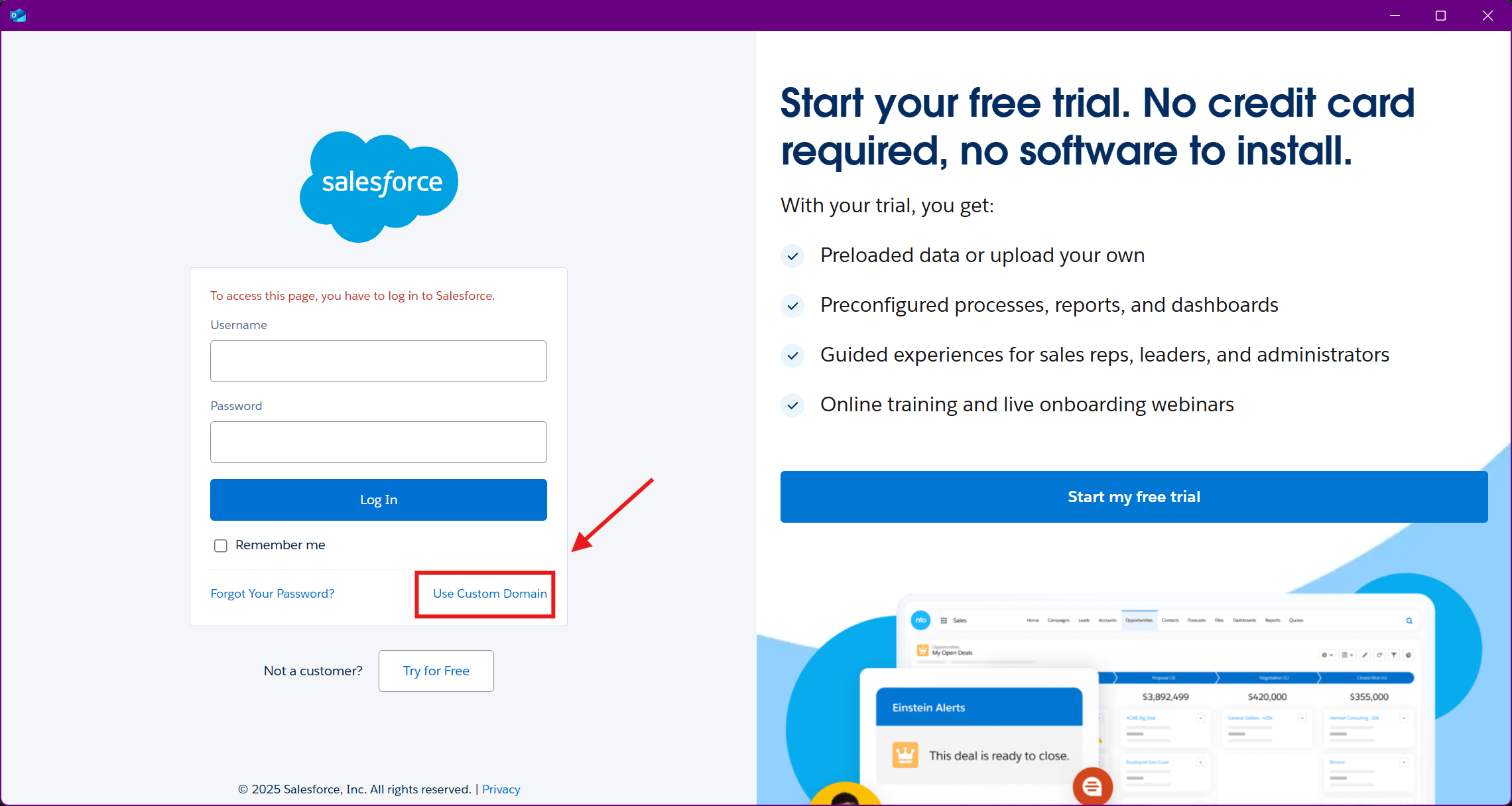
In the new window, click Use Custom Domain.
-
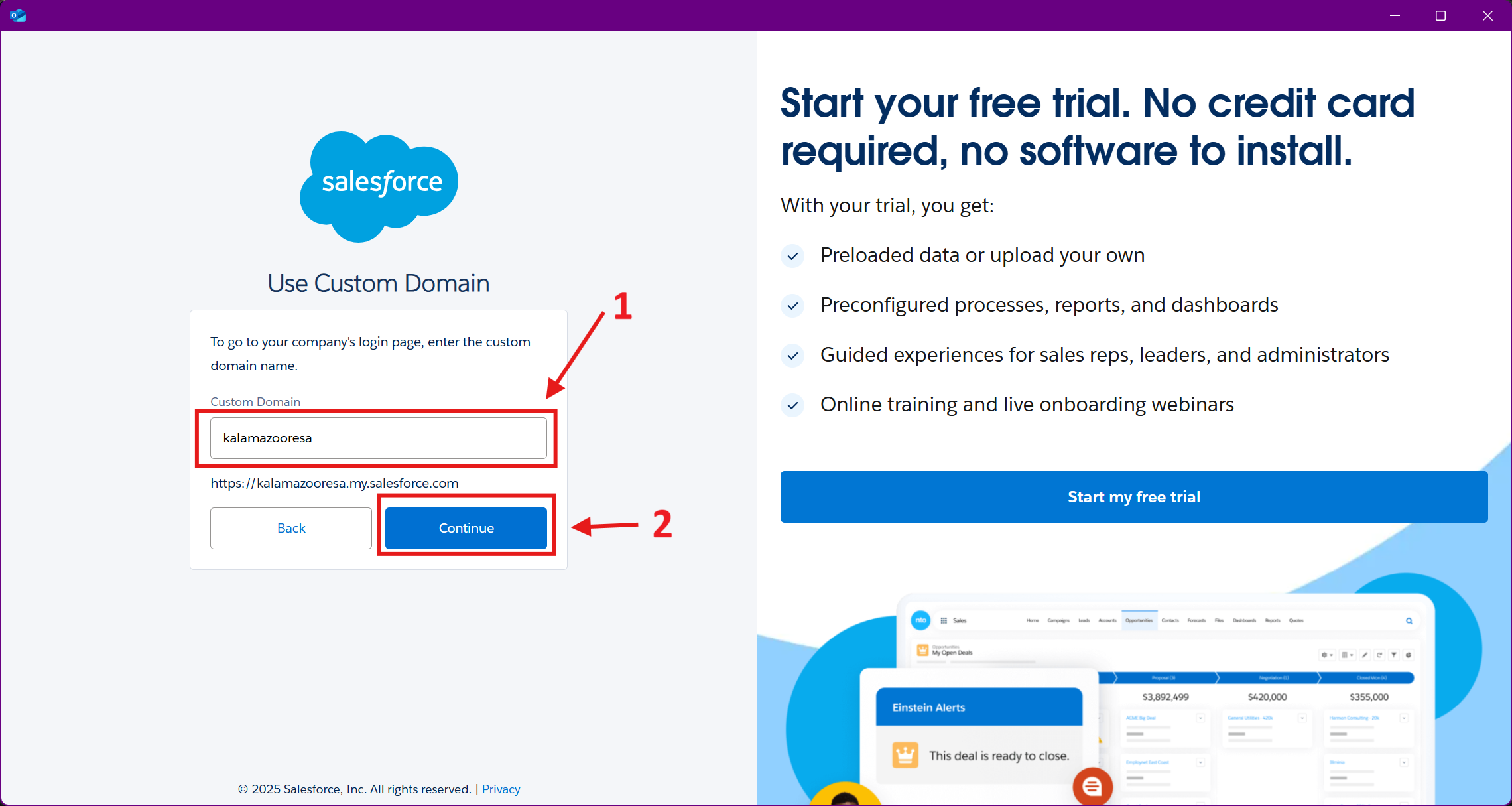
Enter kalamazooresa and click Continue.
-
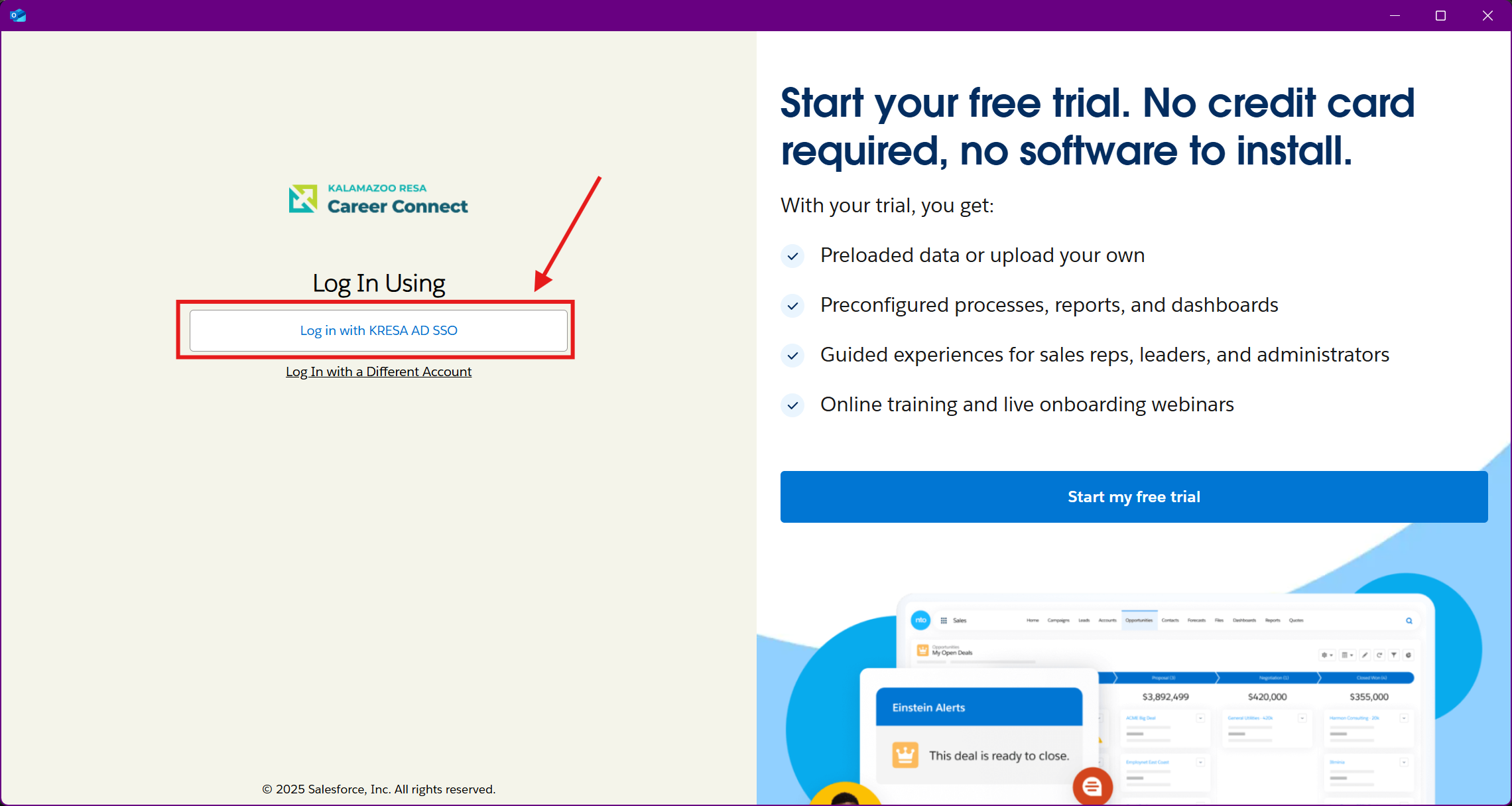
Select Log in with KRESA AD SSO.
-
Follow any on-screen prompts to sign in with your KRESA Microsoft account. This may occur automatically if signing in from a KRESA-issued device.
-
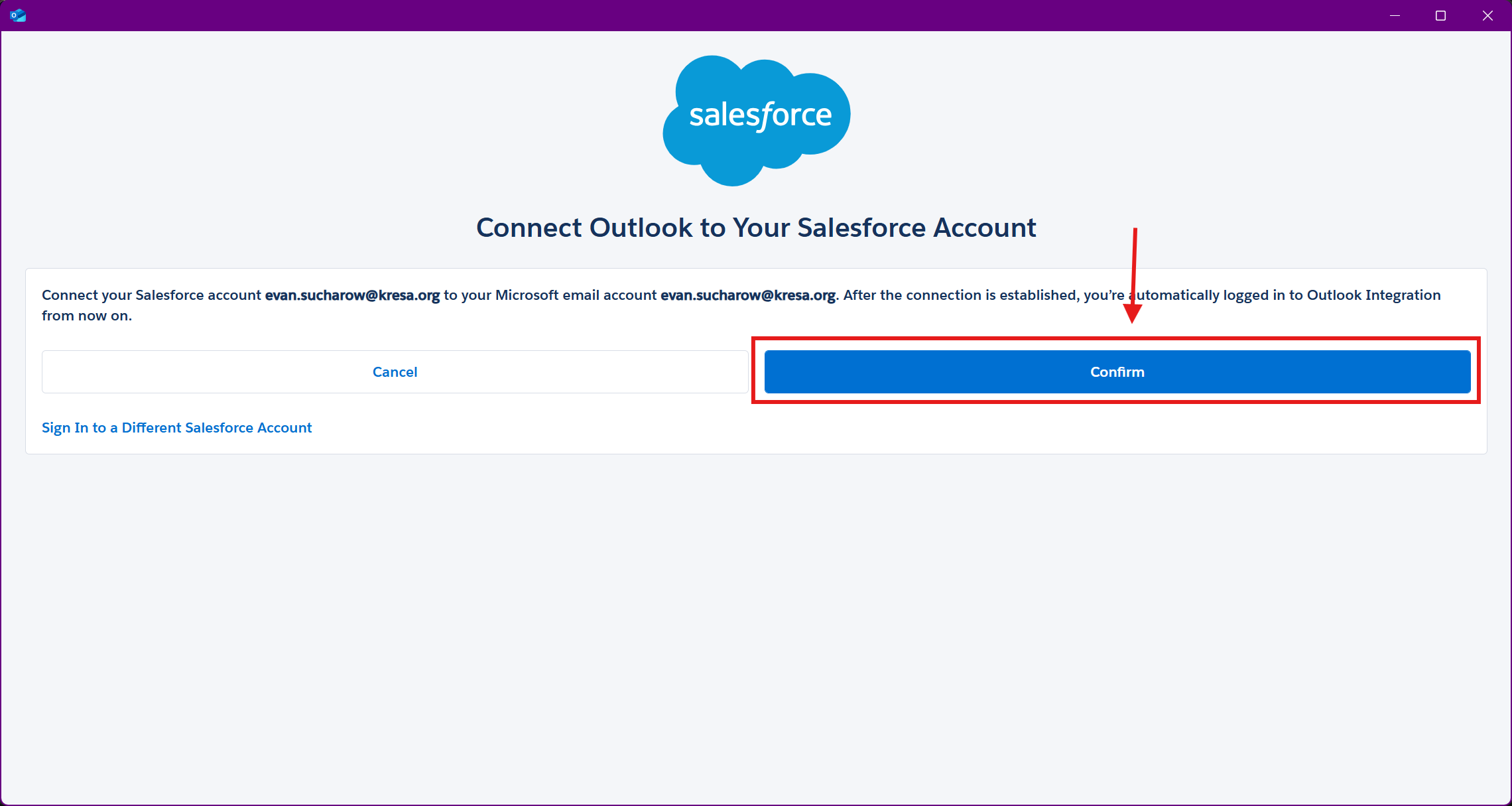
Click Confirm to connect Outlook to your Salesforce account.
-
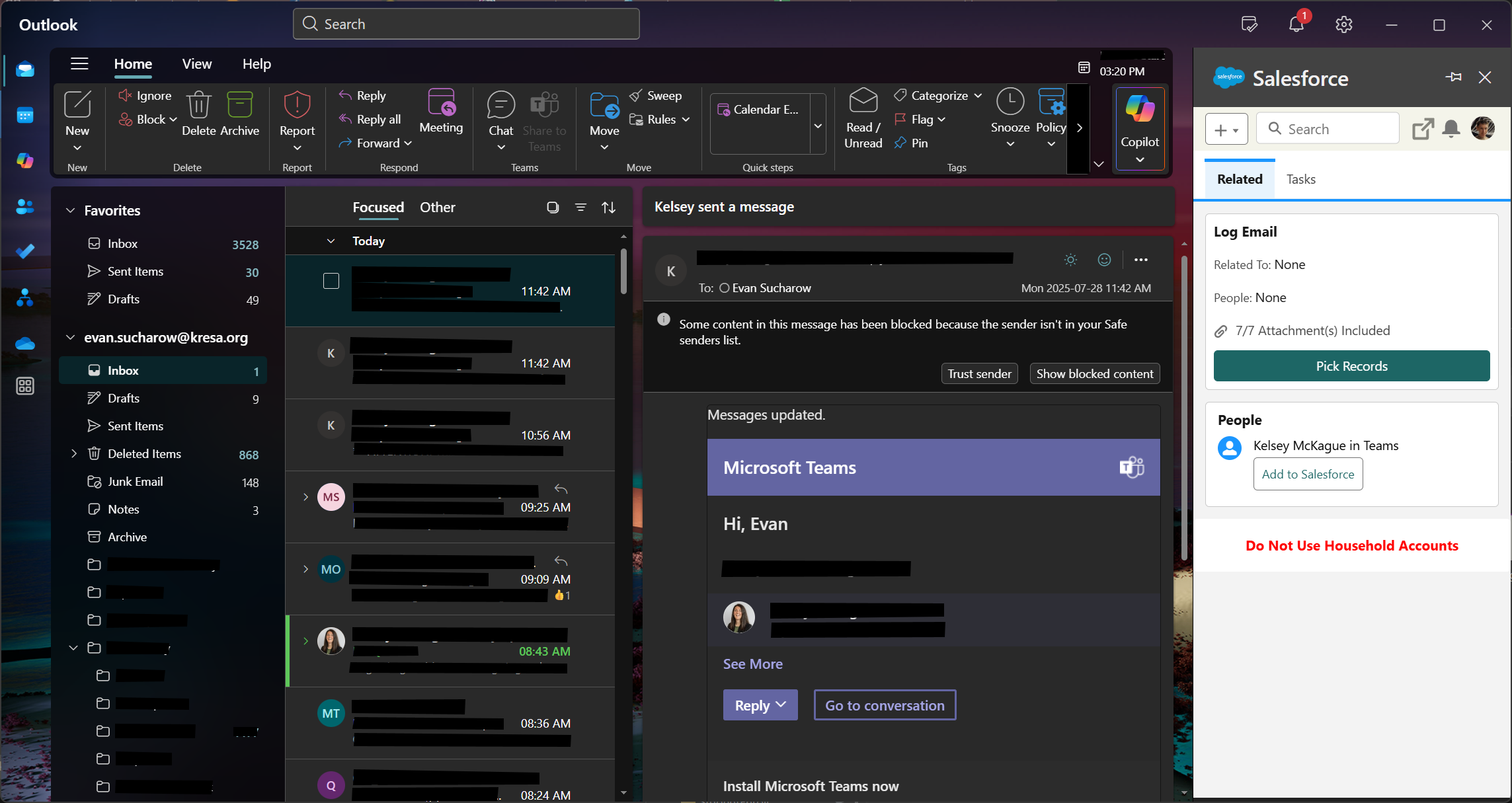
You will now see the Salesforce integration in a sidebar on the right. You can open it any time using the option from Step 1.